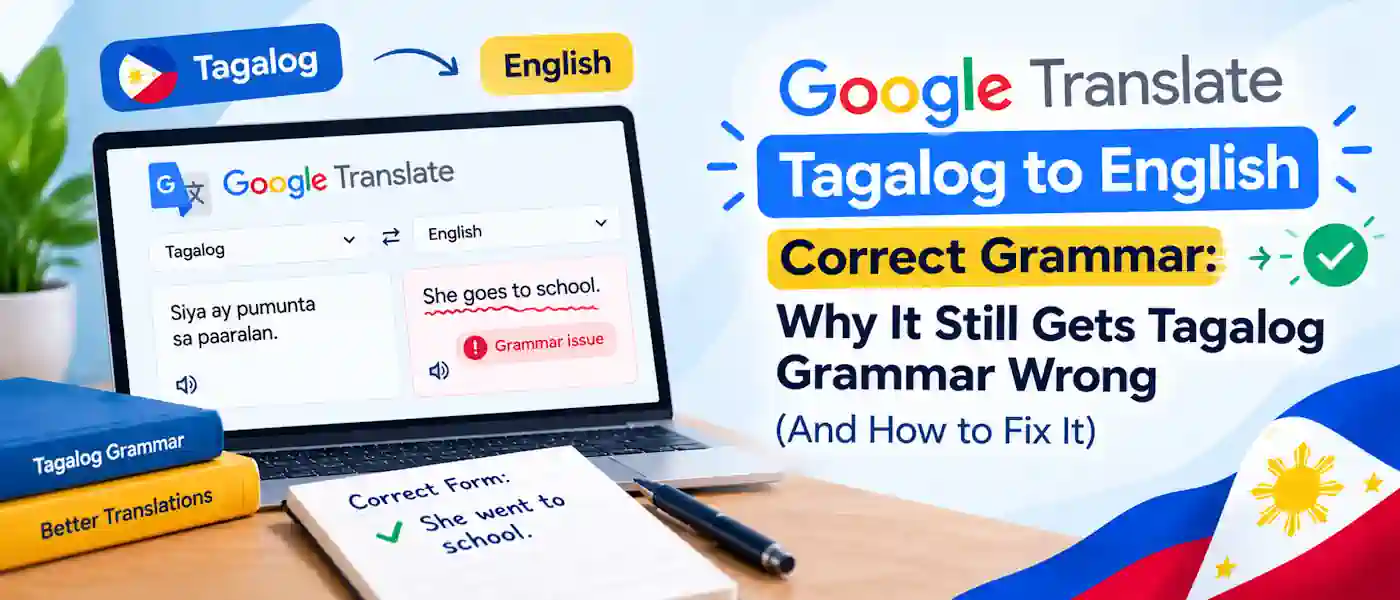
Google Translate can give you a Tagalog sentence in less than a second, but its grammar is not really correct. If you want google translate tagalog to english correct grammar, you need to know where it fails. It often results in a word for word translation rather than restructuring a sentence as a real Tagalog speaker would say it, so the output sounds stiff, strangely ordered or even nonsensical. Correcting it generally means cutting down your input, verifying pronouns and verb focus, and recognizing which expressions not to provide it with.
Key Takeaways
- The hardest part for Google Translate to handle in Tagalog is its system of verb focus, which has no equivalent in English.
- Pronouns are a common source of errors, as the Tagalog “siya” is not gendered and English translations can make an incorrect guess.
- For google translate tagalog to english correct grammar, short, simple and everyday English sentences are much more likely to be accurately translated than idioms or multi-clause sentences.
- Reading a translation back into English (round-trip checking) is one of the quickest ways to detect an error prior to sending it out.
- Google Translate and other free automated translation tools should not be used as the final check of any formal, published, or legally binding material.
Why Google Translate Struggles With Tagalog Grammar
The core of the problem is not vocabulary. Google Translate typically finds a Tagalog word that means more or less the right thing. The problem is sentence structure.
English is a language with a fairly fixed subject-verb-object word order. Tagalog does not work like that. As an Austronesian language, its word order is flexible, often placing the verb first, with particles such as “ang,” “ng,” and “sa” fulfilling the role that English word order and prepositions usually play. A translation engine trained primarily to map words in order may not recognize that Tagalog conveys meaning through these particles, not just through position.
Additionally, Tagalog expresses tense and aspect through prefixes and infixes, rather than separate helper words. The same root word can have multiple forms depending on whether the action is completed, ongoing, or has not yet begun, and machine translation tools sometimes choose the wrong one.
The Verb Focus System Is the Biggest Blind Spot
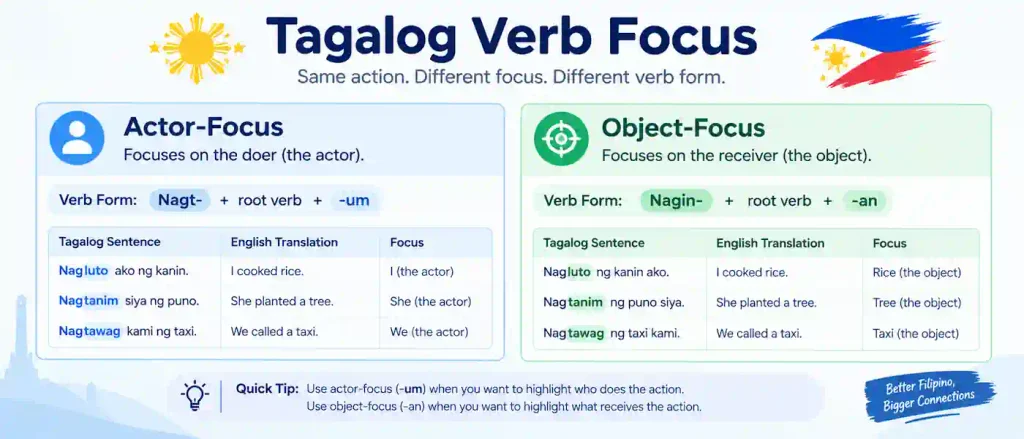
The Tagalog language is an example of what linguists call a focus or trigger system. When used as a verb, the focus affix belongs to one of the following: locative focus, instrumental focus and manner focus. English has no direct grammatical expression for this, but it can be expressed by the active and passive voices.
Since there’s no perfect one to one correspondence, Google, and other machine translation tools, tend to default to the verb form that is most common in the data they were trained on, regardless of if it is the correct form for the sentence. This accounts for why translations sometimes sound “almost right” but would never be considered grammatically correct by native speakers.
Common Grammar Mistakes Google Translate Makes
These are the most common errors that occur when translating to and from English and Tagalog, and they are the main reason google translate tagalog to english correct grammar is hard to achieve.
- Gender confusion in pronouns. The equivalent of he and she is the same word in Tagalog: siya. In Google Translate, it has to guess which to use when converting from Tagalog to English, and its guess is often wrong.
- Wrong verb aspect. Confusing past, present and future tenses of verbs, so a statement that should be describing something that has already occurred now sounds like it’s happening.
- Literal idiom translation. Tagalog idioms and expressions translated word for word either lose their meaning completely or become nonsensical in English.
- Dropped or misplaced particles. Scale small but crucial words such as na, pa, din and naman that occasionally are omitted or misplaced turning the tone or context of a sentence into quite another.
- Formal versus informal register mismatch. It also doesn’t consistently know when to use polite markers such as “po” and “opo,” so formal English may sound informal in Tagalog or vice versa.
Step-by-Step: How to Check and Fix Google Translate Tagalog to English Correct Grammar
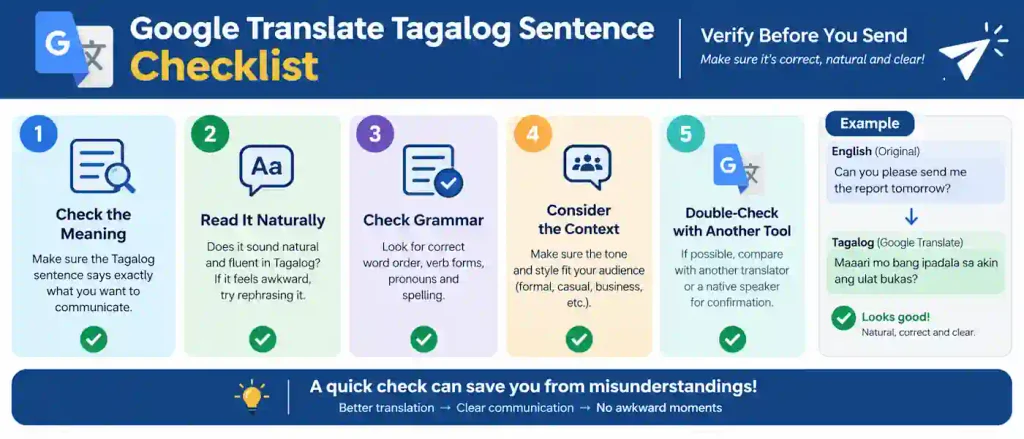
Before relying on a Tagalog translation, whether it’s for a family message or a work email, take time to review it.
- Translate in short chunks. Cut the long sentences into short sentences before you paste them. The accuracy of machine translation decreases rapidly as the length of the sentence and the number of clauses increase.
- Round-trip it. For example, you can translate your English sentence to Tagalog, then you can paste the Tagalog output back in and translate it to English again. If the meaning has changed or become muddled, the grammar probably broke somewhere along the line.
- Check the pronouns by hand. If gender matters in your sentence, verify “siya,” “niya,” or “kaniya” translated the way you intended, since the tool can’t infer gender from context alone.
- Confirm the verb tense matches your intent. Determine whether the predicate’s Tagalog verb form indicates that the predicate is already fulfilled, is in the process of being fulfilled, or will yet be fulfilled, then compare with your intended meaning.
- Read it out loud, or ask a native speaker. The concepts of ‘grammatical’ and ‘natural’ are not identical at the level of normativity. A quick sanity check by a human fluent speaker will find the errors that a tool will never make.
Practical Tips for Better Results From Google Translate
A few good habits can drastically impact the quality of your work.
- Adjust the following Sentence Fragments Only sentences can be sentences fragments. Because of [108] statement fragments have less of a context for the model to work with. h.
- Do not use slang or sarcasm in either language. These things are very, very rare, if they exist at all.
- Accounting for the numbers, then the names, then the dates. Formatting errors can skew grammar around them, too.
- Always use the word “Filipino” or “Tagalog.” While they are generally treated as the same thing in the tool, there are some (minor) differences in vocabulary between localized/formal Filipino and informal/everyday Tagalog.
- For all your formal, business and/or legal needs: Consider Google Translate as a guide for writing a first draft, but not a final version.
Google Translate vs. Other Tools for Tagalog Grammar Accuracy
| Tool | Best For | Known Weak Point |
| Google Translate | Fast everyday expressions and informal text messages | Verb system with focus and idioms |
| DeepL | Continuous text: more formal, longer texts in well supported languages | Tagalog has limited support versus the major European languages |
| AI chat tools (ChatGPT, Gemini, Claude) | Context-sensitive translation with explanations of the choice of grammar | Needs a well crafted prompt to produce reliable outputs |
| Human bilingual translator or editor | Anything formal, legal, medical or published | Cost & turnaround time |
Not a single free tool gets Tagalog verb focus and particle placement right 100% of the time. For optimal output, treat machine translation as a first draft and either proofread it yourself or have another AI tool check it.
Frequently Asked Questions
Is Google Translate Tagalog to English accurate with correct grammar?
It works well for simple, day-to-day things but starts to fall apart with longer sentences, idioms, and anything related to the Tagalog verb focus system or gendered pronouns.
Why does Google Translate mix up “he” and “she” in Tagalog?
Since Tagalog third person pronoun “siya” is gender-neutral. When translating into English, the tool has to make a guess, and it is not always right.
Can I trust Google Translate for formal or business Tagalog?
Not on its own. Think of it as a first draft and then have a native speaker edit the tone and the formality markers like “po” and “opo” and the sentence structure before you turn anything in officially.
What’s the fastest way to catch a grammar mistake in a translation?
Translate the output back to the source language (source → source). If meaning smudges or anything ambiguous creeps in, the grammar is incorrect.
Are Tagalog and Filipino the same language when it comes to translations?
In everyday conversation, people often treat the two terms as interchangeable. Filipino, however, is the country’s standardized national language and is based largely on Tagalog. Translation tools may not always tell the difference between them.
Are AI chatbots better than Google Translate for Tagalog grammar?
They may be, since you can ask them to explain a grammar choice or restate a sentence so it sounds more natural, options Google Translate doesn’t provide.
Getting Grammar Right Takes More Than a Translate Button
Machine translation quality for Tagalog has improved in recent years, but the grammar distance has yet to be fully closed, with the verb focus system remaining particularly difficult for any automated system to handle. Google Translate can be used as a base for a rough draft, but not the final product, and you will also be able to spot any very cringeworthy or factually incorrect sentences. If you want google translate tagalog to english correct grammar, always check the output with the steps above. However, if you are merely trying to learn Tagalog for personal use (not translating a one-off message), this practice in conjunction with lessons will get you creating natural, grammatically correct sentences much faster than anything else you can get.